Colors
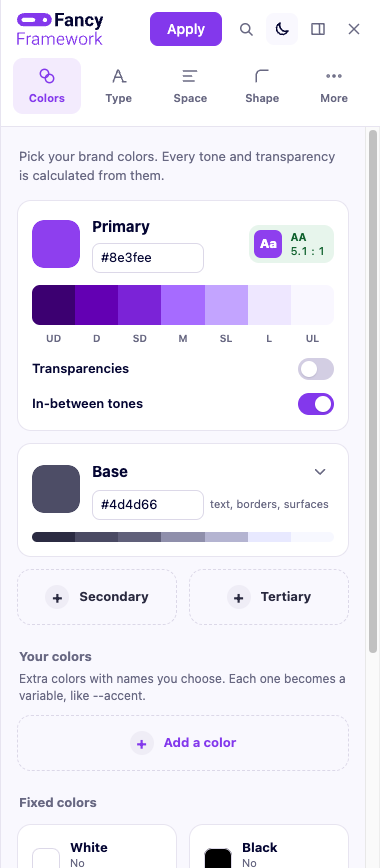
Primary, base, and two optional colors
Every site has a primary color (your brand color) and a base color (for text and neutral surfaces). A secondary and a tertiary color are optional — turn either on from its own card in the panel.
Tones, calculated for guaranteed contrast
Each color gets seven tones — ultra dark, dark, semi-dark, medium,
semi-light, light, ultra light — calculated in OKLCH with a fixed
lightness per tone, whatever the brand color is. That is what makes the
contrast promise possible: --text-on-primary (and the matching variable
for secondary and tertiary, once you turn them on) is always either white or
the darkest base tone, whichever reaches 4.5:1 against that color — picked
automatically, recalculated the moment you change the color.
You can set any tone by hand instead, from its own editor under the color — doing that gives up the calculated-contrast guarantee for that one tone, and the panel tells you its real contrast against white and against dark text right there, so you know before you commit to it.
Transparencies
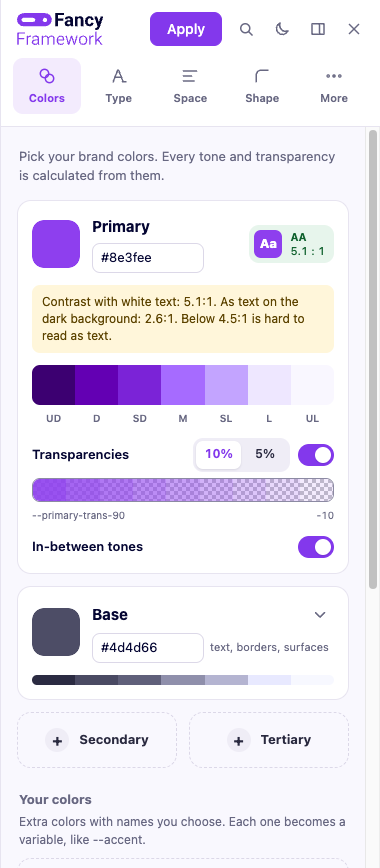
Each color — primary, secondary, tertiary, base, white, black, and any custom color — can get transparency steps at every 10% or every 5%, turned on per color from a switch under it.
Your own named colors
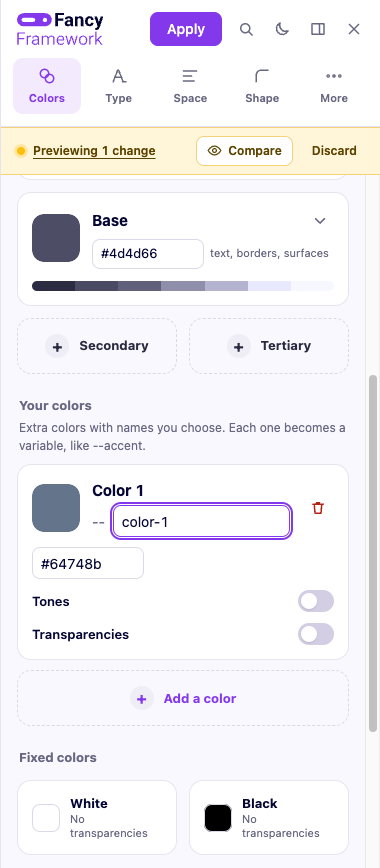
Beyond primary/secondary/tertiary, you can add as many named colors as you want — each gets the same seven calculated tones and the same optional transparencies as the built-in ones. Renaming one moves its tones and its transparencies with it.
The contrast badge
Next to the primary color field, a badge shows its contrast against white text and tells you if it reads as "low" for body text — measured against the text the framework will actually put on that color, not a generic guess.