Getting started
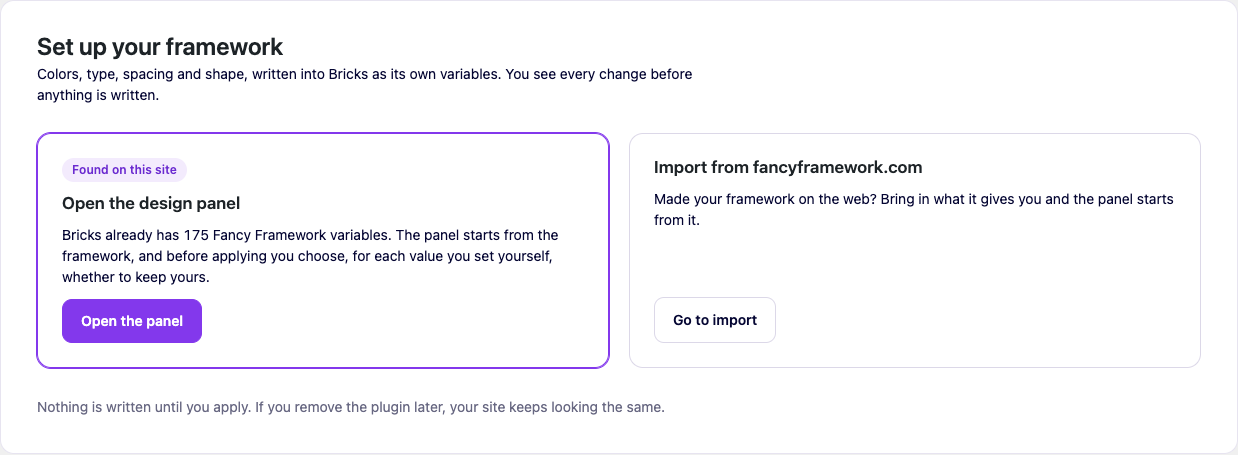
The plugin's wp-admin screen offers three starting points. Which ones you see depends on your site and your builder.
Start from the defaults
Works on Bricks and on Etch. Opens the panel with a balanced default recipe — a violet brand color, a calm type scale, fluid spacing — ready for you to change anything before you apply.
Start from what the builder already has
If Bricks already has variables the plugin recognizes (for instance, from a Fancy Framework JSON you pasted in by hand before the plugin existed), the screen tells you so and offers to open the panel from there. The same applies to Etch: if its CSS already created a «Fancy Framework» variable collection, the plugin takes it over and starts from it.
Before anything is applied, the review lets you choose, variable by variable, whether to keep a value you already had or take the plugin's. Nothing is silently overwritten.
Import from fancyframework.com (Bricks only)
If you have a JSON generated at fancyframework.com, the Import & export tab of the wp-admin screen has one zone where you drop the files it gives you — variables, a color palette, CSS — or paste their contents one at a time. The plugin recognizes each piece by what it contains, in any order. «Import» is only active once the variables are there; the palette and the CSS are optional.
Importing never overwrites a variable already on the site by name — the same review-before-you-apply rule as everywhere else — and it can be undone from Overview.
Etch has nothing to import this way: there is no separate generator output for it. Use one of the two options above instead.
After the first apply
Once something is applied, the wp-admin Overview tab becomes the plugin's status page: what builder it writes into, how many variables it manages, which ones you changed by hand in the builder, whether anything is waiting to be applied, and a sample of your site built only with your variables. From here on, day-to-day changes go through the panel.