Spacing & layout
Spacing by role
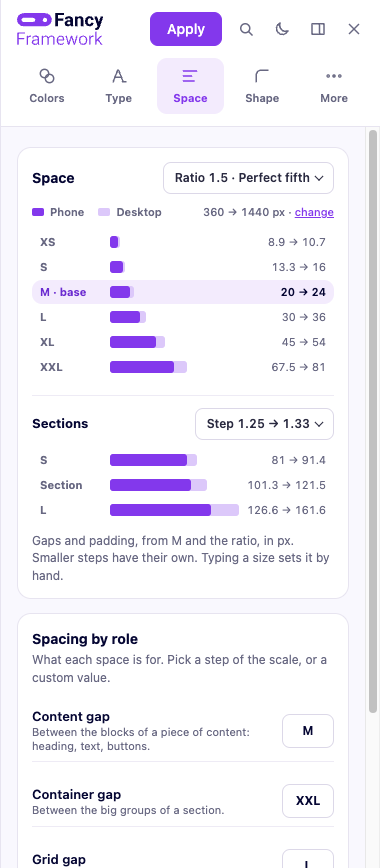
A scale of spacing values — from extra-small to extra-large, plus a larger step for the gap between sections — fluid between your smallest and largest screen, the same way the type scale is. Everything in the framework that needs a gap, a padding or a margin reaches for one of these roles instead of a fixed value, so changing the scale once changes the whole site consistently.
How the scale is calculated
Steps grow outward from M, the base step, by the ratio you pick — one step up multiplies by it, one step down divides by it. Each step shows two numbers, its size at your smallest screen and at your largest; click a step to open it, and type a value in either field to set that one step by hand, independent of the ratio.
Sections — the larger step between whole page sections — has its own ratio and scale (S, Section, L), calculated the same way but outward from the section step itself, not from M.
The container width, the side gutter, grid helpers, content widths and your header height all live together in More settings → Layout & grid.