The panel
The same panel opens from the front-end admin bar, from inside the Bricks builder, and from the plugin's wp-admin screen. Wherever you open it, every change follows the same four steps.
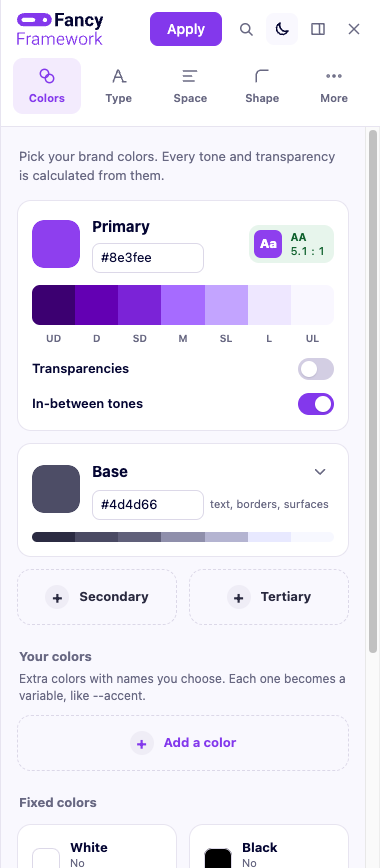
Preview, review, apply, undo
-
Preview. As you move a slider, type a hex color or pick an option, the page you are looking at updates live — the admin bar panel previews right on your site, the builder panel on the canvas, and wp-admin on a sample built from your variables. Nothing is written yet.
-
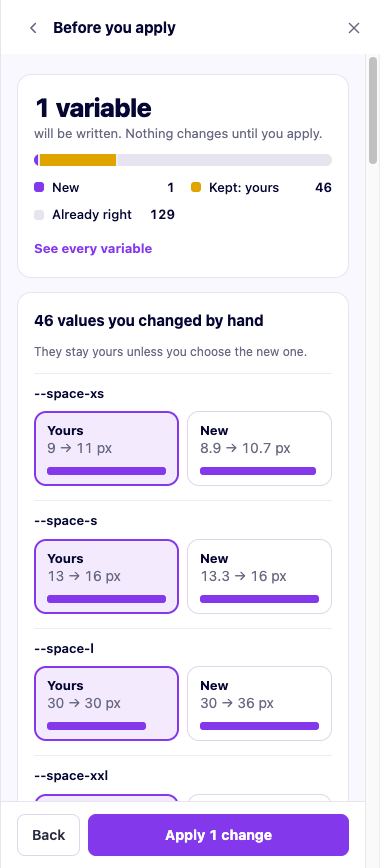
Review. When you are ready, «Apply» shows exactly what will change: each variable, its current value and its new one. If a value was ever changed by hand directly in the builder, the review asks what to do with it — keep your own value, or take the plugin's — instead of silently picking one.
-
Apply. Confirming writes the values to Bricks' or Etch's own storage, through the same plan the review just showed you.
-
Undo. Every apply can be undone, one step back, from the panel (also from More → Last apply, if «Apply» itself is out of reach) and the wp-admin screen keeps a visual history of every past apply — see History — to go further back than one step).
Layout
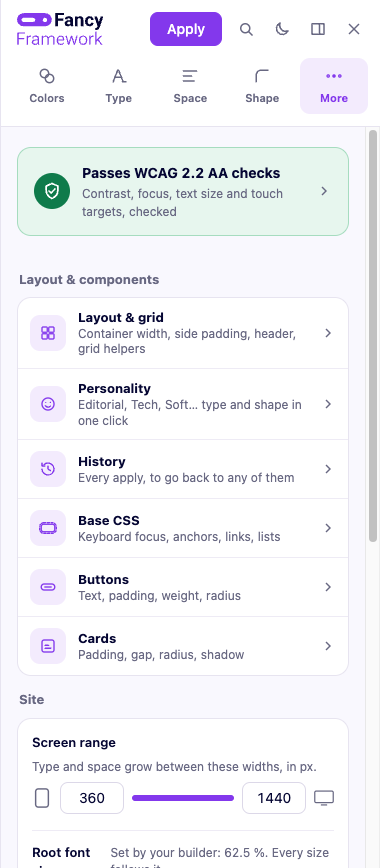
- Tabs: Colors, Type, Space, Shape, and More.
- More holds everything that is not a day-to-day color or size choice — Layout & grid, Buttons, Cards, Base CSS, the accessibility seal, personalities, history, and the panel's own appearance. Every one of its screens is covered, in the order it lists them, under More settings in the sidebar.
-
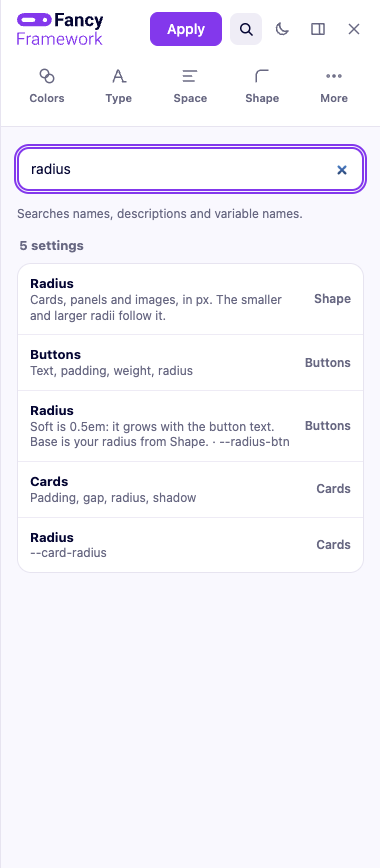
A search field finds a setting by name, its help text, or its CSS variable name, and jumps straight to it.
-
Compare shows your site as it is applied right now, for as long as you hold the button — release it and your edits come back.
Where it opens, and who can open it
By default, only administrators can use the panel, and it is available in all three places (front end, Bricks builder, wp-admin). An administrator can change both of these from Settings — see The wp-admin screen.
Its own appearance — light, dark, or automatic — is a setting just for you, in More settings → Panel.